
How to Build a 3D Visualization SOP for Architectural Rendering Studios
Are your 3D visualization projects constantly hitting deadline bottlenecks or suffering from quality discrepancies right before client delivery? For most architectural rendering studios, the real issue is rarely artist talent. It is the lack of a structured Standard Operating Procedure, commonly known as a 3D visualization SOP.
Without clear guidelines, artists handle file naming, lighting, and quality checks in silos. This leads to lost assets, inconsistent renders, and expensive revisions. Establishing a comprehensive 3D visualization SOP brings structure to your team, shortens turnaround times, and protects your studio profit margins.
Why Every ArchViz Studio Needs a Standardized Workflow
Scaling an architectural visualization studio requires repeatable processes. When every artist follows their own habits, onboarding new team members becomes chaotic and project handoffs slow down dramatically.
A well-documented workflow delivers three major business advantages:
- Consistent Output Quality: Visual quality remains uniform regardless of which artist leads the project.
- Faster Project Turnarounds: Less time spent searching for missing textures or fixing broken file paths.
- Seamless Team Collaboration: Remote and in-house artists work within the exact same directory framework.
The Core Pillars of a Robust 3D Visualization SOP
To build a workflow that actually works in daily production, focus on standardizing three fundamental areas of your studio pipeline.
1. File Structure and Asset Naming Conventions
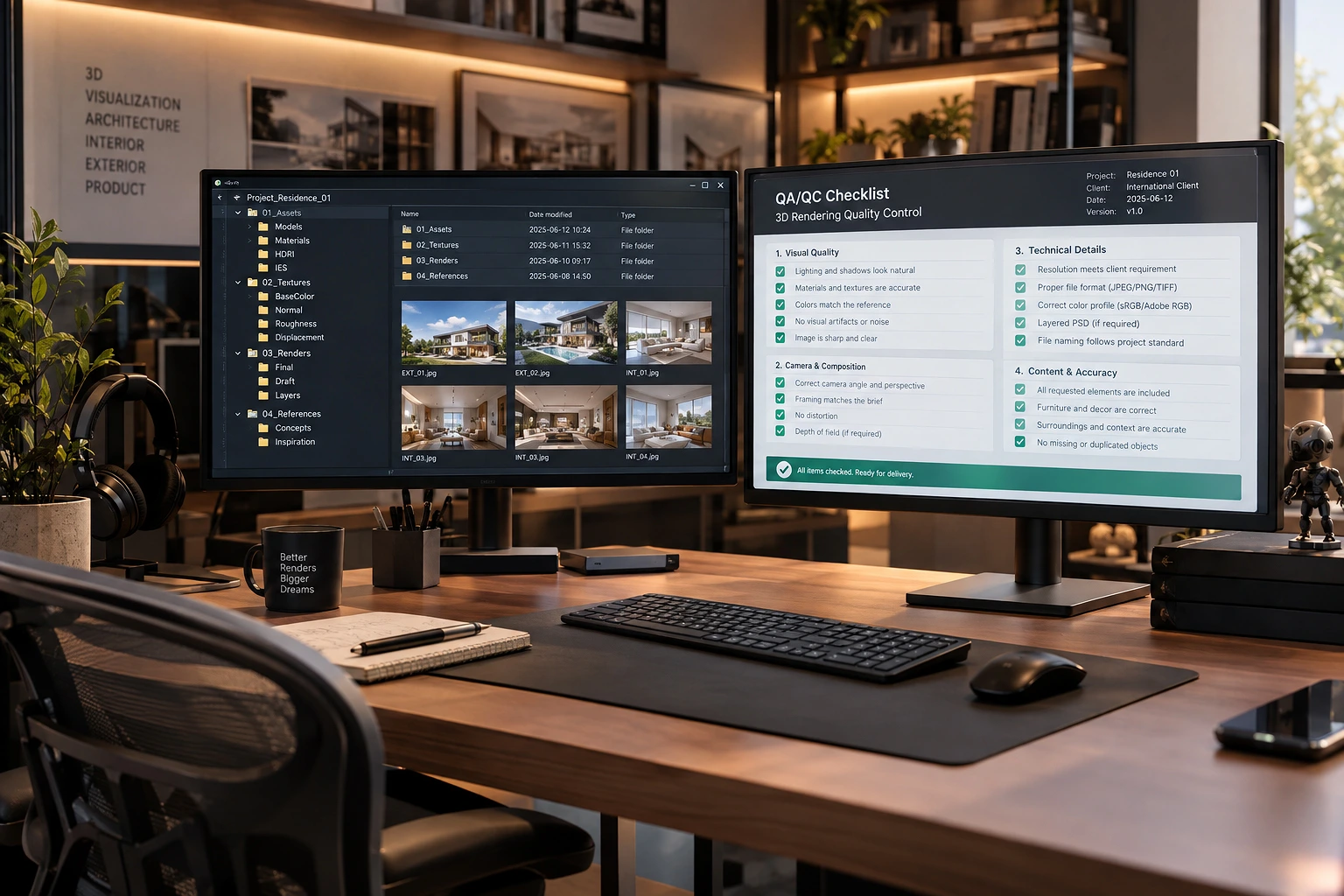
Disorganized project directories cause major bottlenecks during final crunch hours. Your SOP should enforce a strict folder hierarchy for every new project:
01_Briefs_and_References02_CAD_and_3D_Models03_Textures_and_Materials04_Render_Outputs05_Post_Production
In addition, adopt a uniform file naming convention such as
ProjectName_SpaceType_CameraNumber_Version (for example, SkylineTower_Lobby_Cam01_v01.max). This eliminates guesswork when team members need to locate specific working files.2. Baseline Lighting Presets and Render Parameters
Lighting directly dictates the mood and realism of an architectural render. However, varied lighting setups among artists create noticeable visual jumps across a series of images for the same building.
Standardize your initial scene setups by providing calibrated HDRI maps, set color temperatures for artificial lights, and unified physical camera settings. Giving artists a calibrated baseline ensures that all images within a project maintain a cohesive visual narrative before look-development begins.
3. A Strict QA and QC Checklist Before Client Handoff
Never deliver renders to clients without a systematic pre-flight review. Your quality assurance checklist should cover technical and aesthetic criteria:
- Camera Geometry: Verify vertical tilt correction and clip planes.
- Material Mapping: Inspect UVW mapping scales and seam alignments.
- Lighting and Artifacts: Check for light leaks, noise splotches, and improper reflection passes.
- Render Settings: Ensure correct resolution, aspect ratios, and pass channels (Z-Depth, AO, Material ID) for post-production.
Implementing Your 3D Visualization SOP for Long-Term Growth
Creating a written document is only the first step. To ensure your team adopts the new system, store the guidelines in a centralized workspace accessible to all artists. Conduct brief review sessions during project kickoff to reinforce standards.
A well-maintained 3D visualization SOP turns daily friction into a streamlined, high-output rendering pipeline. By standardizing your file structures, lighting baselines, and quality checks today, your studio can scale confidently while keeping clients thoroughly impressed.
Looking to optimize your studio workflow and elevate your rendering capabilities? Explore our architectural visualization solutions at Our-Inspiration Studio.
